
Meta Title:
Libraries are changing. They are no longer only quiet places for bookshelves and reading desks. Today, many libraries are becoming family-friendly learning spaces where children can read, play, explore technology and build confidence through interactive activities.
One way to make a children’s area more engaging is by adding an interactive touch table. These smart touchscreen tables give children a hands-on way to explore educational games, digital drawing, puzzles, reading activities and group learning.
For libraries, an interactive table can help create a modern children’s corner that feels fun, educational and easy to use. It gives families another reason to visit, stay longer and return more often.
What Is an Interactive Touch Table?
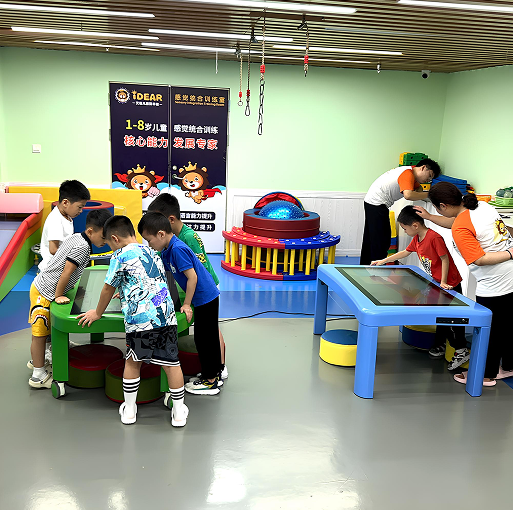
An interactive touch table is a digital touchscreen table that allows children to use their hands directly on the screen. They can tap, swipe, draw, drag objects, complete puzzles, play games and explore learning activities.
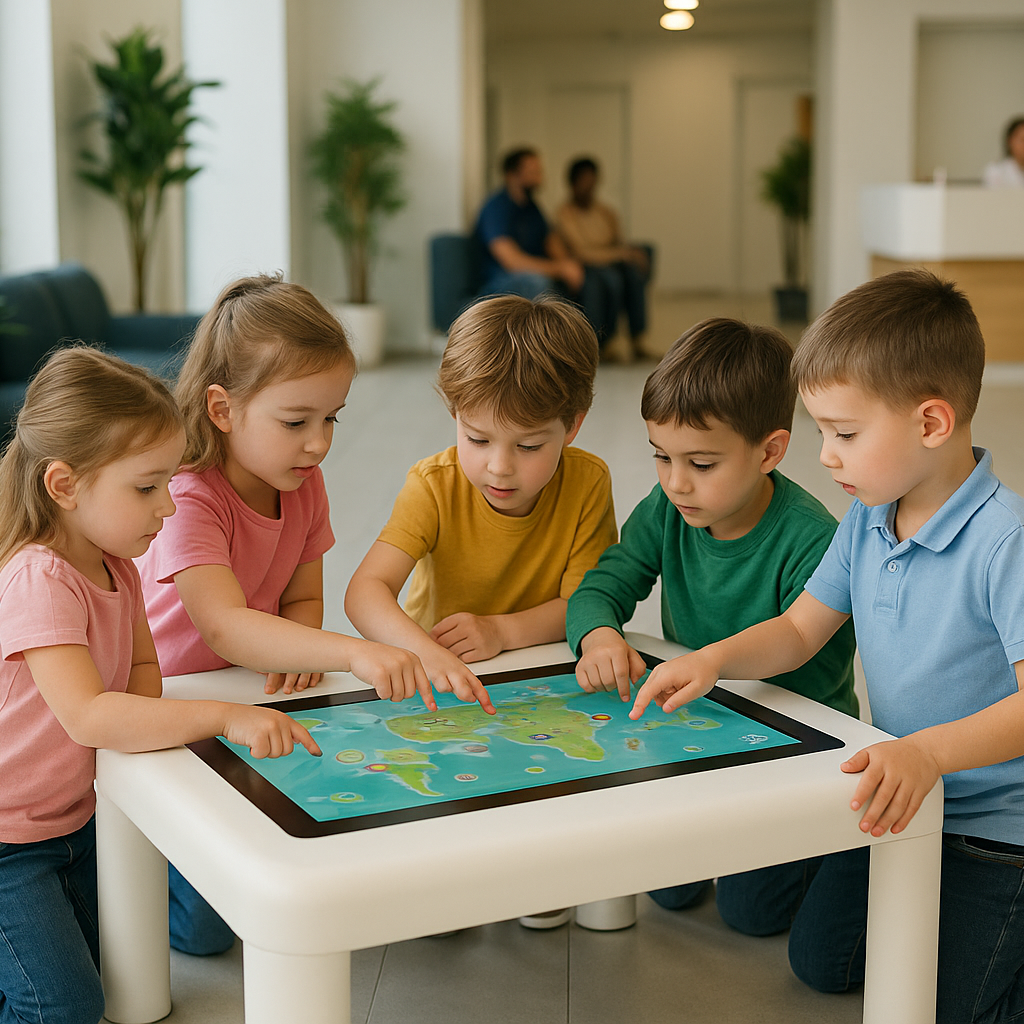
Unlike a standard tablet, a multi-touch table is designed for shared use. Several children can gather around the screen and interact together. This makes it ideal for libraries, classrooms, nurseries, play centres and family learning spaces.
For libraries, this type of technology can support both quiet individual learning and collaborative group activities.
Why Libraries Should Consider Interactive Touch Tables
Libraries often need to balance different needs. They need to remain calm and welcoming, but they also need to keep children interested. Interactive touch tables can help because they offer educational digital play in a controlled, shared format.
Instead of children using separate devices, they can interact with one shared table. This encourages social learning while still supporting digital skills.
An interactive touch table can help libraries:
-
Create a modern children’s learning corner
-
Support reading and early learning activities
-
Encourage group play and collaboration
-
Keep children engaged during visits
-
Add value to family library sessions
-
Support digital literacy in a child-friendly way
-
Make the library more attractive to parents and schools
1. They Make Children’s Areas More Engaging
A children’s library area should feel welcoming, creative and exciting. Books are still the most important part of the space, but interactive technology can make the area feel more complete.
A touch screen table for kids can sit alongside books, reading rugs, activity walls and learning materials. Children can move from reading a story to completing a digital puzzle, drawing a picture or playing an educational game.
This creates a richer learning environment where children can explore in different ways.
2. They Support Early Reading and Learning
Interactive touch tables can be used for activities that support early literacy and learning. Children can practise letters, sounds, words, matching games, memory tasks and visual storytelling.
For younger children, hands-on activities can make learning feel more natural. They are not just listening or watching. They are touching, moving and responding to what they see on the screen.
This can help children build confidence before they start reading independently.
3. They Encourage Group Learning
A library is often a social space for families, schools and community groups. Multi-touch tables are useful because they allow more than one child to interact at the same time.
Children can work together on puzzles, drawing tasks, games and learning challenges. This helps build teamwork, communication and problem-solving skills.
For library staff, an interactive table can also support group sessions, story-time activities and digital learning workshops.
4. They Help Libraries Offer More Than Books
Modern libraries often provide more than borrowing services. Many offer workshops, children’s events, digital access, community learning and educational programmes.
An interactive touch table can support this wider role. It gives libraries a flexible tool that can be used for different activities throughout the week.
For example, it can be used for:
-
Storytelling sessions
-
Reading games
-
Digital art activities
-
Puzzle challenges
-
Early maths activities
-
School visit activities
-
Holiday learning sessions
-
Family engagement events
This helps libraries become more active learning spaces for children and families.
5. They Keep Children Engaged Without Individual Screens
Many parents worry about too much individual screen time. An interactive touch table offers a different experience because it is shared, social and activity-based.
Children are not sitting alone with a personal device. They are gathered around a table, using their hands, talking to each other and taking part in learning activities.
This makes interactive tables a more suitable digital option for public spaces such as libraries, schools and children’s learning centres.
Choosing the Right Interactive Table for a Library
The right table depends on the size of the library, the layout of the children’s area and how the table will be used.
A small library corner may need a compact table. A larger children’s zone may benefit from a bigger screen. A library with workshops or changing layouts may need a mobile table that can move between rooms.
Touchtable offers several options for different spaces.
Best for Small Library Corners: 32" Smart Interactive Table
The 32" Smart Interactive Table is a good choice for compact children’s areas. It gives children a smart interactive experience without taking up too much space.
This option works well for:
-
Small library corners
-
Children’s reading areas
-
Early years spaces
-
Home learning corners
-
Small classrooms
-
Quiet activity zones
A 32-inch table is practical when children use the screen individually, in pairs or in small groups. It can support drawing, puzzles, reading games and simple learning activities.
Best for Flexible Library Layouts: 32" Mobile Interactive Table
Some libraries use rooms for different activities throughout the week. One day the space may be used for story time, another day for school visits, and another day for family learning workshops.
For this type of environment, the 32" Mobile Interactive Table is a useful option. Because it is designed for mobility, it can be moved between different areas when needed.
This option is suitable for:
-
Multi-use library rooms
-
Children’s activity sessions
-
School visit areas
-
Community learning spaces
-
Sensory rooms
-
Flexible event layouts
A mobile interactive table gives libraries more freedom because the table does not have to stay in one fixed place.
Best for Larger Children’s Areas: 43" Smart Interactive Table
For larger libraries or busy children’s zones, the 43" Smart Interactive Table may be the better choice.
The larger screen gives more children space to interact together. This makes it ideal for group learning, shared play and collaborative activities.
This option is suitable for:
-
Larger children’s library areas
-
Group activity rooms
-
School visit sessions
-
Family learning zones
-
Community centres
-
Children’s museums
-
Larger classrooms
If the table will be used as a main feature in the children’s area, the 43-inch option offers stronger visual impact and more space for interaction.
How Interactive Touch Tables Improve the Family Library Experience
Families are more likely to visit libraries when the space feels welcoming for children. A well-designed children’s area can help parents feel comfortable bringing young children, especially if there are activities that keep them interested.
An interactive touch table can improve the family experience by giving children something educational and engaging to do during the visit.
Parents can browse books, speak with staff or join activities while children explore learning games nearby. This makes the visit feel smoother and more enjoyable for everyone.
How Libraries Can Use Interactive Tables in Events
Interactive touch tables can also support library events. They are not only for everyday use.
Libraries can use them during:
-
Story-time sessions
-
Reading challenge events
-
School holiday programmes
-
Digital learning workshops
-
Family open days
-
Early years learning sessions
-
After-school activities
-
SEN and sensory-friendly sessions
Because the table can support different types of content, it can be used across many programmes and age groups.
Interactive Touch Tables and Digital Literacy
Digital literacy is becoming an important part of children’s education. Libraries can play a key role in helping children become confident with technology in a safe and positive way.
Interactive touch tables introduce children to digital interaction through simple, hands-on activities. They can learn how to navigate a screen, follow instructions, solve problems and use digital tools creatively.
This helps children build confidence with technology while still encouraging social interaction and learning through play.
Are Interactive Touch Tables Suitable for Quiet Library Spaces?
Yes, interactive touch tables can be suitable for libraries when placed carefully and used with appropriate activities.
They work best in children’s areas, learning zones, activity rooms or family spaces rather than silent reading areas. Libraries can choose educational games and quiet activities that fit the environment.
Good placement can help the table support engagement without disturbing other visitors.
Features to Look for in a Library Touch Table
When choosing an interactive touch table for a library, look for features that support durability, safety and everyday use.
Important features include:
-
Multi-touch support
-
Durable touchscreen surface
-
Child-friendly design
-
Educational content
-
Creative activities
-
Stable structure
-
Easy setup
-
Good screen size for the space
-
Wi-Fi and Bluetooth connectivity
-
Flexible placement options
The best table should be easy for children to use and practical for staff to manage.
Frequently Asked Questions
What is the best interactive touch table for a library?
The best interactive touch table depends on the library layout. For small children’s corners, the 32" Smart Interactive Table is a practical choice. For flexible spaces, the 32" Mobile Interactive Table is useful. For larger children’s areas, the 43" Smart Interactive Table offers more screen space for group activities.
Can interactive touch tables help children learn?
Yes. Interactive touch tables can support reading, problem-solving, creativity, early maths, memory games, puzzles and group learning activities.
Are touch tables suitable for children’s library corners?
Yes. Touch tables are suitable for children’s library corners because they provide educational digital activities in a shared and engaging format.
Which touch table is best for a small library?
The 32" Smart Interactive Table is suitable for small libraries because it is compact and easy to place in children’s reading or activity areas.
Which touch table is best for library events?
The 32" Mobile Interactive Table is a good option for library events because it can move between rooms and activity spaces.
Which touch table is best for group learning?
The 43" Smart Interactive Table is ideal for group learning because the larger screen gives more children space to interact together.
Final Thoughts
Interactive touch tables can help libraries create children’s spaces that feel modern, educational and engaging. They support reading, creativity, digital literacy and group learning while giving families another reason to visit the library.
For small library corners, the 32" Smart Interactive Table is a compact and practical option. For flexible events and shared spaces, the 32" Mobile Interactive Table offers added mobility. For larger children’s areas and group activities, the 43" Smart Interactive Table provides more room for collaboration.
Explore the full range of interactive touch tables from Touchtable and choose the right solution for your library, classroom, play centre or family learning space.

Leave a comment
This site is protected by hCaptcha and the hCaptcha Privacy Policy and Terms of Service apply.